1.How to register an appointment for nucleic acid testing
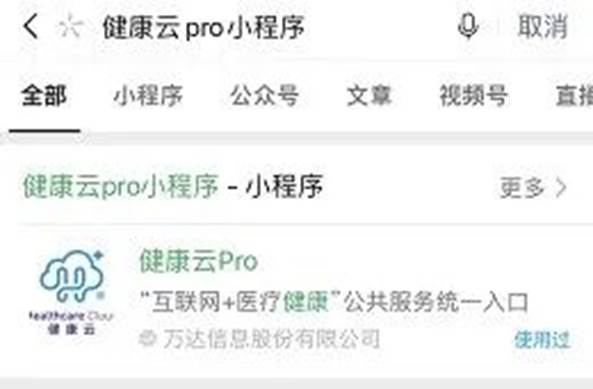
Step1:Open WeChat or Alipay, search for the “健康云” applet, and then click to enter;
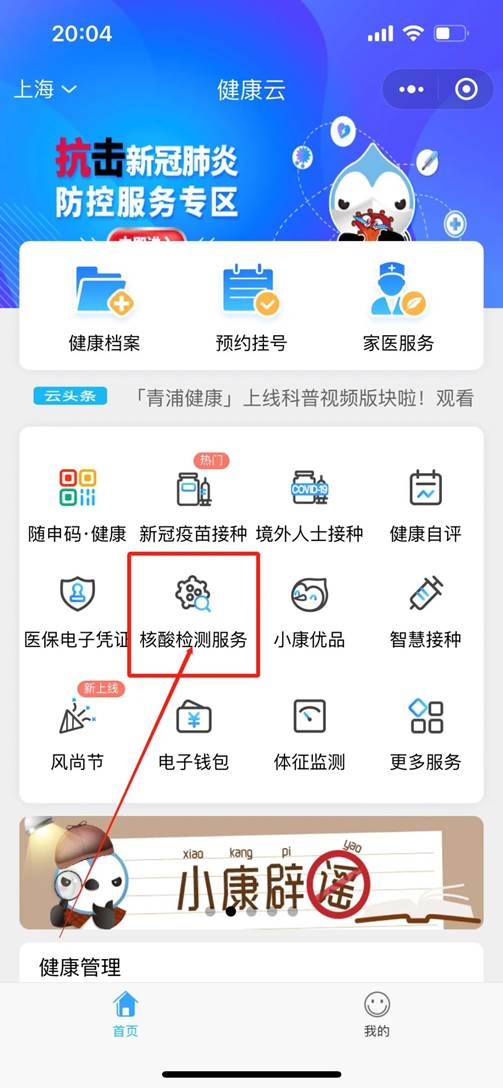
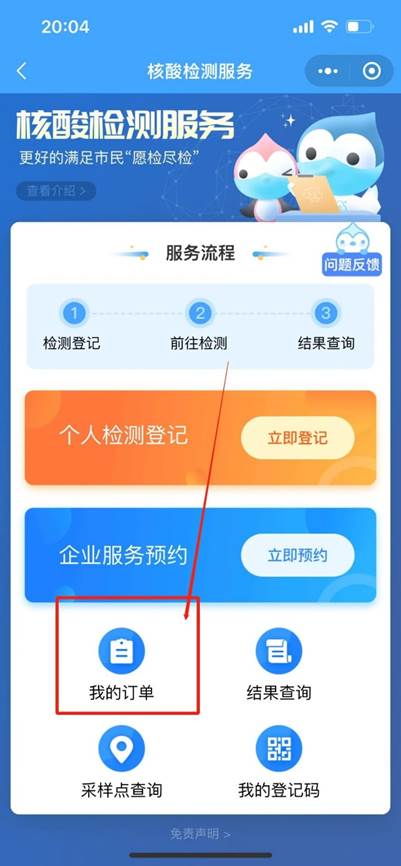
Step2:After entering, click “Nucleic Acid Detection Service” on the homepage;
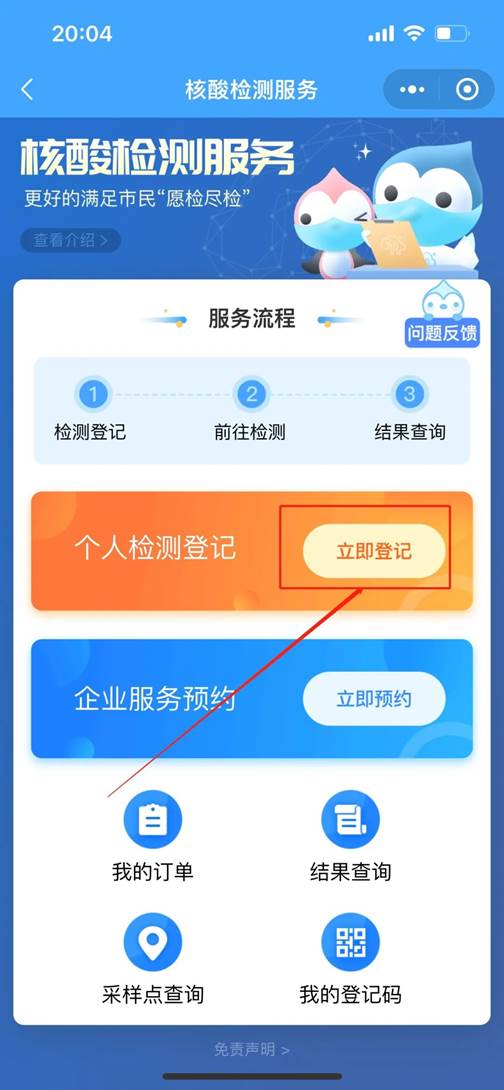
Step 3: Then click “Register Now” on the “Personal Test Registration” service page;
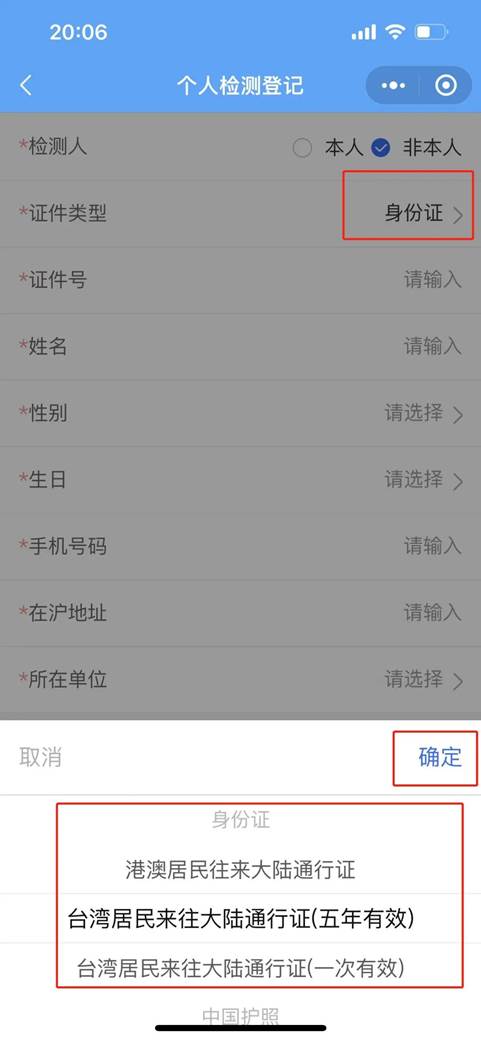
Step 4: After entering, complete the personal information ;
if you are not registered for yourself, please select “Not yourself”, fill in the information of the registered person, and click “Register”
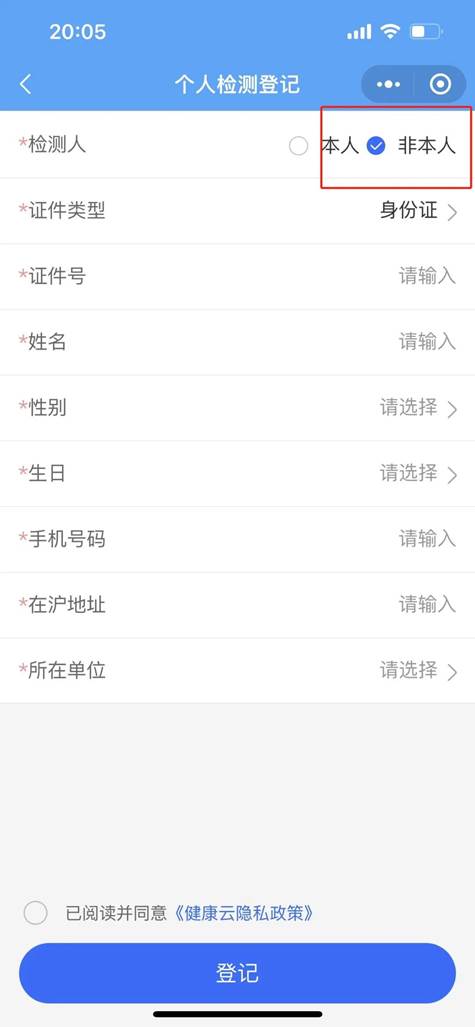
Friendly reminder: For foreigners; Hong Kong, Macao and Taiwan persons, and overseas Chinese, you can choose corresponding documents or "other" documents
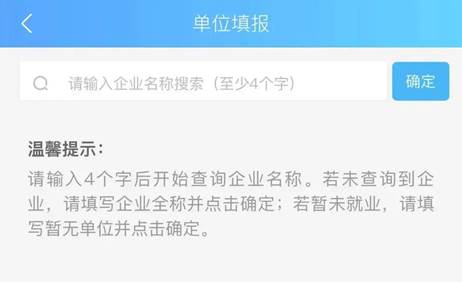
If the registered person is not yet employed, please fill in “No Company”
2.How to display the registration QR code
Click “My Order” on the “Nucleic Acid Detection” service page;
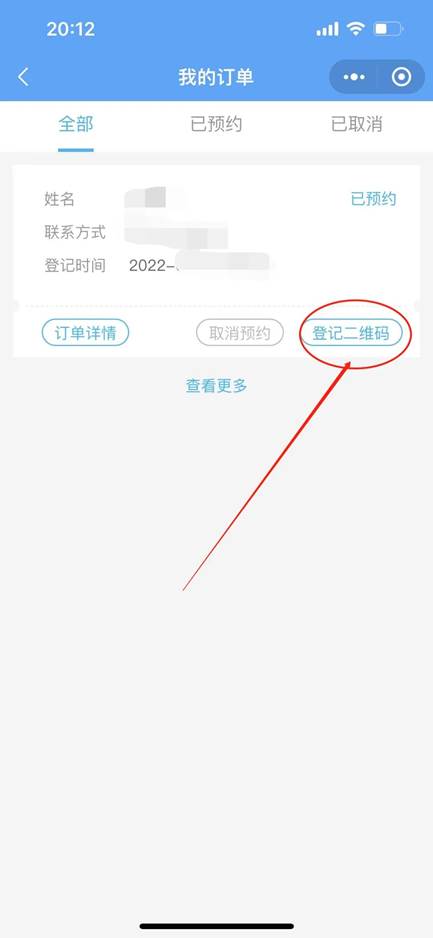
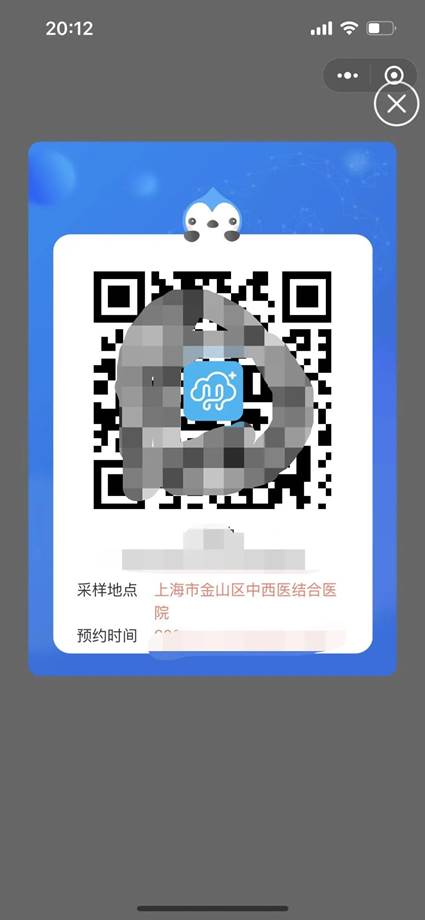
Select the registrant and click “Register QR Code”
Show the QR code to the sampling staff (you can take a screenshot and save the QR code in advance)
3.How to query nucleic acid test results
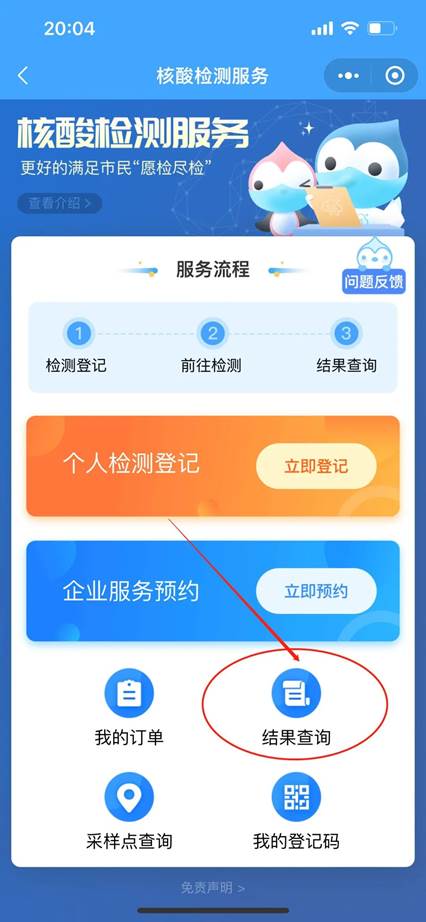
On the“Nucleic Acid Detection” service page, click “Result Query” to query the nucleic acid detection result.
张江镇境外人员服务站、移民融入服务站
Zhangjiang Service Station For Overseas People、Immigrants' Intergration Service Station